AI Trading Bot Review: Inside the Jarvis Dashboard
The Jarvis dashboard puts charts, simulated trades and decision logs in one place. Here is what to look for when you test how the bot makes decisions.
See the free paper test30 seconds in the dashboard
Screen recording from 20 November 2026. The demo runs in paper mode.
What you can see
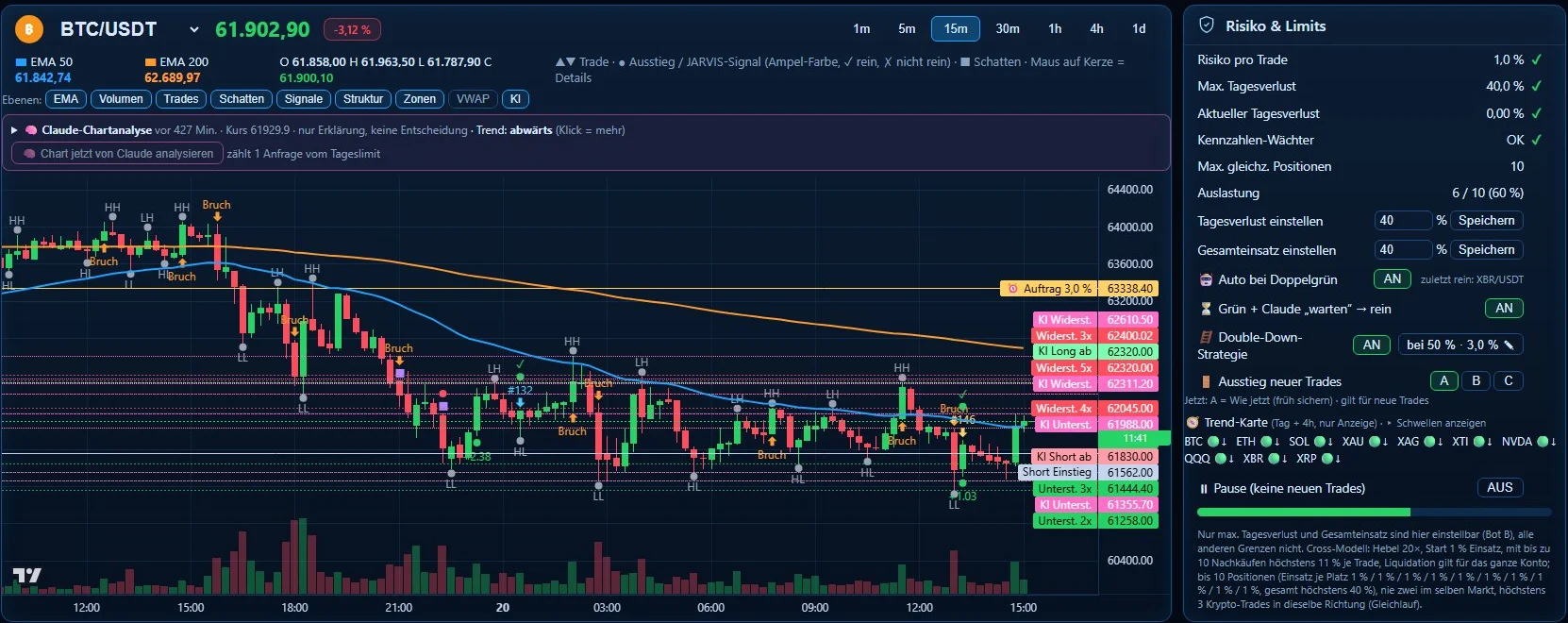
Entries and exits
Review execution markers and price levels on the chart.
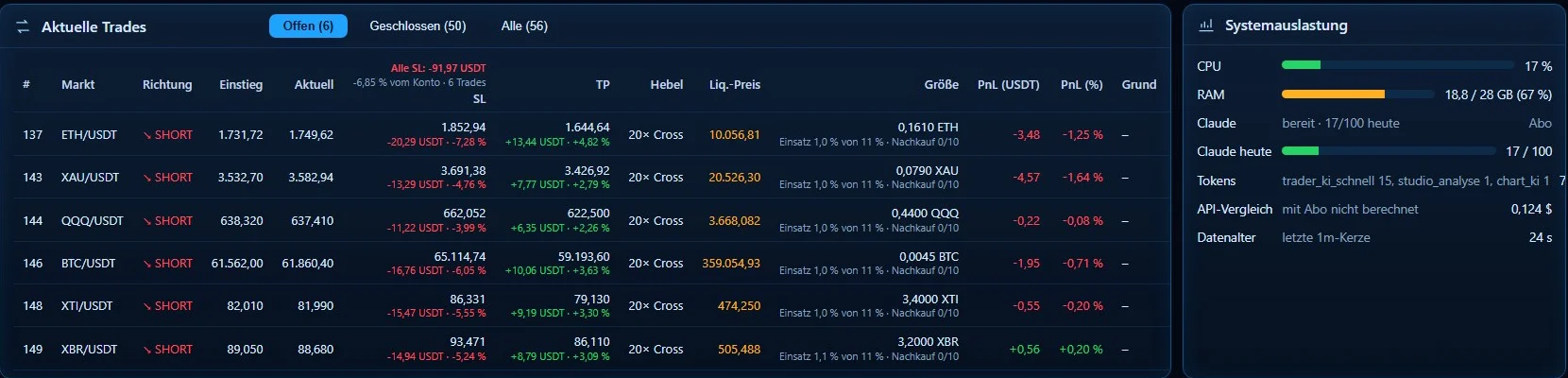
Open simulated trades
See entry, stop, target, leverage and the current simulated result.
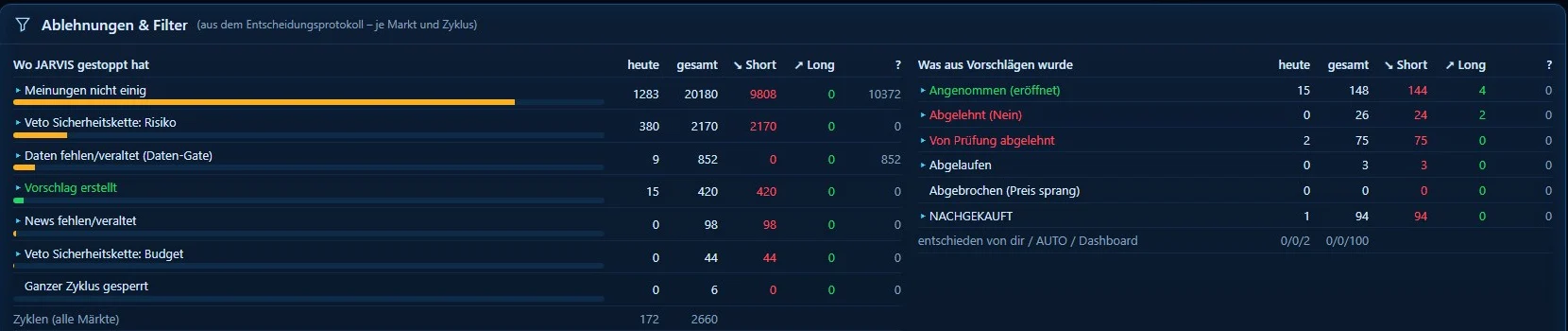
Rejected proposals
Inspect what stopped an idea and at which check it was stopped.
A recorded BTC/USDT example
The scanner and analyst indicated Short, while the entry agent stayed neutral. The dashboard recorded the reason as No agreement. This idea stopped before the risk and budget checks.
Where AI fits
An AI review can inspect a proposed trade and stop it before entry. Use the decision log to see which stage a particular idea reached.
Keep reading
Compare three trading bots
Compare Jarvis, Cryptohopper and ProfitTrailer by use case.
Try Jarvis with paper money
See what the test includes and how to request free access.